
multi-stream chat guide
Multi-Stream Chat: Combine All Your Live Chats in One Place
SleepyChat's multi-stream chat lets you combine messages from Twitch, YouTube, and TikTok into one unified chat window. Instead of juggling multiple tabs or chat docks, you see every message from every platform in one clean interface. It's a dedicated multi stream chat tool built specifically for creators who stream to multiple platforms at once.
Need help getting started?

What Is Multi-Stream Chat?
Multi-stream chat (also called multistream chat or unified chat) is a tool that merges chat messages from multiple streaming platforms into one real-time feed. Instead of separate chat windows for each platform, a multi stream chat setup gives you one unified stream of messages with platform labels preserved.
Why Multi-Stream Chat Is Better
When you multistream without unified chat, you risk missing messages, slowing engagement, and ignoring one platform unintentionally. With a combined multi stream chat, every viewer feels acknowledged, engagement improves, and moderation becomes easier. Stop juggling multiple windows and chat feeds -- just combine them!
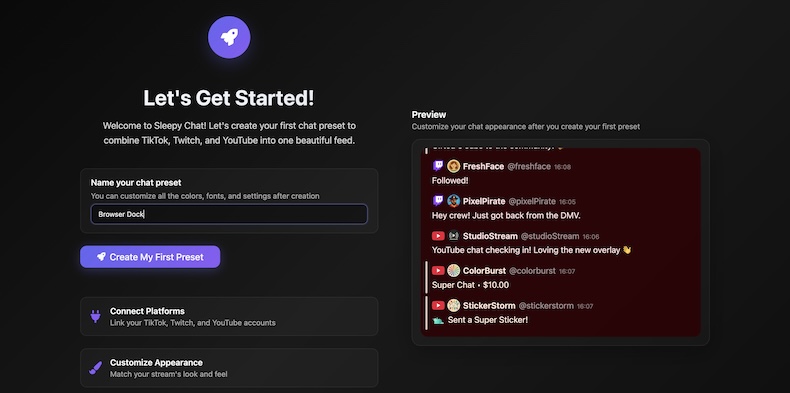
SleepyChat Multi-Stream Chat Features
SleepyChat is built for creators who want control, not just a merged feed. You can create multiple chat feeds for different purposes, design each one differently, and keep everything readable while live.
- Create multiple distinct chat feeds (for your own view, your overlay, or specific message types)
- Deep appearance customization: layout, spacing, badges, labels, colors, and message density
- Built-in multi-platform TTS with one shared queue so voices do not talk over each other
- Custom sound alerts with platform-specific triggers and your own uploaded sounds
- OBS-ready with browser dock and overlay support
Multi-Stream Chat Text-To-Speech
Many multistream creators end up running separate Text-To-Speech systems for each platform, which can cause voices to talk over each other. SleepyChat keeps multi-stream chat Text-To-Speech unified in one shared queue, so voice messages take turns, instead of devolving into a shouting match. And it's easier to manage, because your TTS settings all live in one place.
Text-To-Speech Preview
Select a Language and Voice to hear a sample TTS message
How to Set Up Multi-Stream Chat
Follow our full setup walkthrough to connect your accounts, open your unified feed, and add SleepyChat to OBS as a dock or overlay.
Frequently Asked Questions
What is the best multi stream chat tool?
The best choice depends on what you value most. Restream is reliable for basic chat combining, but customization is limited and platform coverage is narrower. SocialStreamNinja supports many platforms, but the UI is harder to use and customization is limited. SleepyChat is built for creators who want deep customization & personalization, and the ability to have multiple, distinct multi-stream chat feeds for different purposes.
Does multi-stream chat work with OBS?
Yes. SleepyChat supports OBS browser docks and chat overlays.
Can I show my combined chat on all platforms?
Not equally across every platform. Twitch recently clarified this is allowed, and YouTube also allows it. TikTok rules are stricter: you can still read your combined chat in SleepyChat, but you generally should not display a combined cross-platform chat feed on TikTok. A common setup is to use a separate TikTok-only feed for what appears on TikTok.
Ready to Simplify Your Multi-Stream Chat?
Give your eyes a break from darting between multiple chat windows. Start using sleepychat's unified multistream chat today.